Shockbyte Auto-Backup & One-Click Restore Tutorial: Never Fear Mod Crashes or Save Data Loss Again
To be honest, during my time running game servers, the thing that caused me the most stress wasn’t lag or a high player count—it was two words: save data.
Anyone who has run a long-term server knows that while lag or restarts are manageable, a problem with the save data is often irreversible.
This risk is significantly amplified when running modded servers. Sometimes a failed mod update, an unexpected crash, or even a simple configuration error can render the entire game world unloadable.
At first, I was completely unprepared for this. That changed when a long-running modded survival server of ours crashed immediately after an update; the map became inaccessible, and player data became corrupted.
That was the moment I truly realized: server stability is just the surface level—data security is the fundamental core.
That experience prompted me to start seriously using Shockbyte’s auto-backup and one-click restore features—a decision that became a key factor in my ability to run servers stably over the long term.
The First “Save Data Disaster”: Understanding Real Risk
We started with a standard modded survival server. The content wasn’t complex—just basic survival gameplay plus a few expansion mods for things like enhanced tools, optimized world generation, and additional monsters.
It ran smoothly at first, and as the player base grew, the server evolved into a stable little community.
However, trouble struck after a mod update.
We had performed a routine upgrade, but the new version turned out to be incompatible with the existing save data, causing the world to fail to load. Players couldn’t even enter the game world, let alone experience lag.
To make matters worse, we didn’t have a clear backup mechanism in place. We tried manual repairs, but the results were very limited.
I remember that night vividly; our community chat was flooded with messages asking, “Why can’t I get in?” and “Is the save data gone?” Meanwhile, all I could do was repeatedly restart the server and experiment with different versions.
It wasn’t just a technical issue; it was the overwhelming anxiety that all our data might be lost forever.
Prioritizing Backups: Why I Switched to Shockbyte’s Backup System

After dealing with that issue, I began to reconsider a fundamental reality: no matter how stable a server runs, it is inherently unsafe without a backup mechanism.
It was around this time that I started using Shockbyte’s automatic backup feature.
What impressed me most wasn’t just the ability to back up data, but the simplicity of the process: the system automatically generates server backups in the background—no manual commands or custom scripts required.
For someone like me managing multiple servers, this is crucial; it means backups no longer rely on whether I happen to remember to run them.
The Real Experience of Automatic Backups: From “Worry” to “Built-in Security”
Adopting automatic backups brought a significant shift to how I maintain my servers.
I used to constantly worry about things like: “Is there a backup? When was the last one? Did I accidentally overwrite an important save?”
Now, those concerns have all but vanished because the backups happen automatically.
Even better, I can view backup logs—including timestamps and statuses—directly in the dashboard, giving me a clear picture of the server’s security at any time.
It shifted from “maintaining security based on memory” to “having the system maintain security for me.”
One-Click Rollback: The Feature That Truly Ends “Accidental Error Anxiety”
If automatic backups are about “prevention,” then one-click rollback is about “fixing problems.”
The first time I really needed the rollback feature was after a mod configuration error.
I was tweaking parameters for a world-generation mod and accidentally messed up the config file, causing the map to load incorrectly.
In the past, I would have had to manually locate files, swap versions, or even try regenerating the world—all high-risk moves.
With Shockbyte’s control panel, however, I simply selected a previous backup point and clicked “Restore.”
There were no complex steps or extra tools involved; within minutes, the server was back to normal.
The biggest takeaway? The issue transformed from a “catastrophic repair job” into a simple “undo” action.
Why Backups Matter for Modded Servers: More Critical Than Performance
I eventually realized that for modded servers, having a backup system is even more important than performance optimization. Modded servers are highly complex; a single mod conflict, version incompatibility, or configuration error can jeopardize the state of the entire world.
Often, these issues cannot be resolved simply by “fine-tuning”; instead, the only solution is to revert to a previous, stable state.
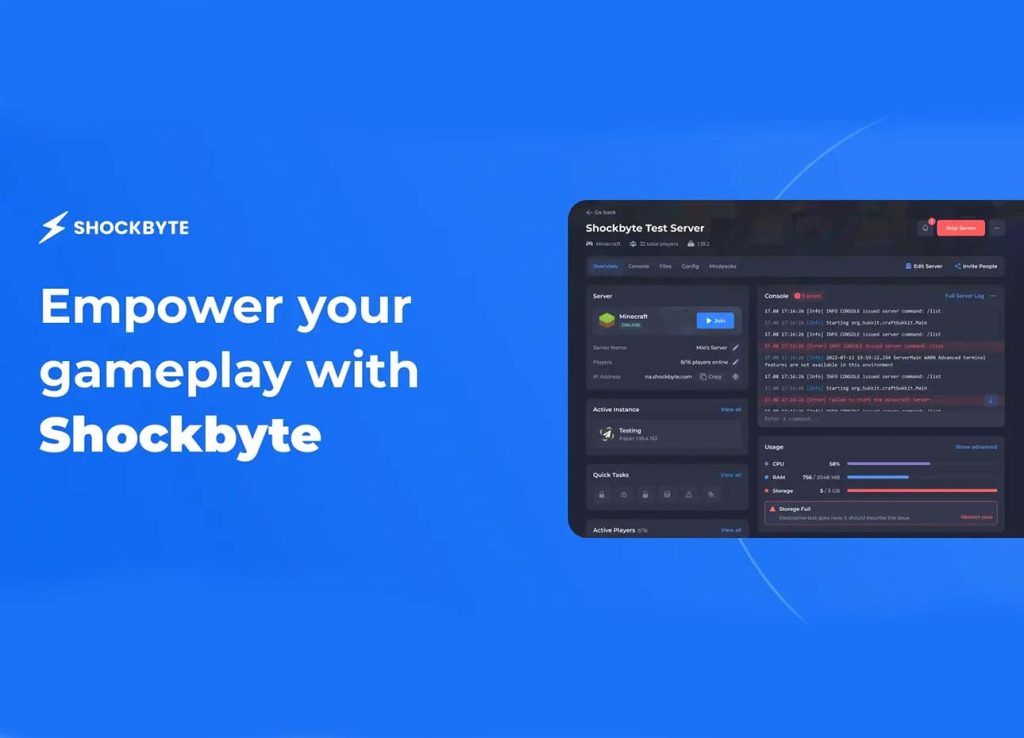
In this context, backups are not merely an optional feature—they are a fundamental safety mechanism.
Having a reliable backup system in place significantly reduced the stress I felt when making changes, as I knew I could always recover if something went wrong.
Shifts in Long-Term Operations: From “Fear of Errors” to “Confidence in Updates”
Without a backup system, I was quite conservative and hesitant to update the server content frequently.
Every update carried risk; a single issue could potentially ruin the entire save file.
However, using Shockbyte’s automatic backup and restore mechanisms changed my mindset.
I began updating mods, tweaking gameplay mechanics, and experimenting with new content more often, knowing there was always a “safety net” to fall back on.
This shift might seem minor, but it is crucial for long-term operations, as it directly impacts server activity and the frequency of innovation.
True server security means the ability to “go back in time” whenever necessary
Server issues are inevitable—whether it’s mod conflicts, configuration errors, or unexpected crashes. The real difference lies in your ability to restore the server to a normal state.
It wasn’t until I used Shockbyte’s automatic backups and one-click restore features that I truly understood the value of a “safety net.” The server was no longer a system vulnerable to destruction by a single mistake; it became an environment where I could constantly experiment and make adjustments. That is what truly provides peace of mind for long-term operations.